Building an Outbound-Only WebSocket Bridge for Local AI Agents
Local AI coding agents are powerful precisely because they're local: they read your actual files, run in your actual shell, and see your actual repo. That's also exactly what makes them hard to control remotely. You can't just expose an API on your laptop and call it a day — you'd be opening a port into your filesystem from the public internet.
Bridge is the piece of CTRL NODE that solves this without ever accepting an inbound connection. It runs on your machine, dials out to our control plane over a single WebSocket, and everything — task dispatch, live output, file reads — flows over that one outbound pipe. This post is a walkthrough of how that connection actually works, based on the current Bridge source.
1. Why outbound-only
The naive way to make a local process remotely controllable is to expose it: open a port, maybe put ngrok in front of it, call it done. That works until you think about what's on the other end of that port — a process with read/write access to your filesystem and the ability to spawn AI agents that can execute code.
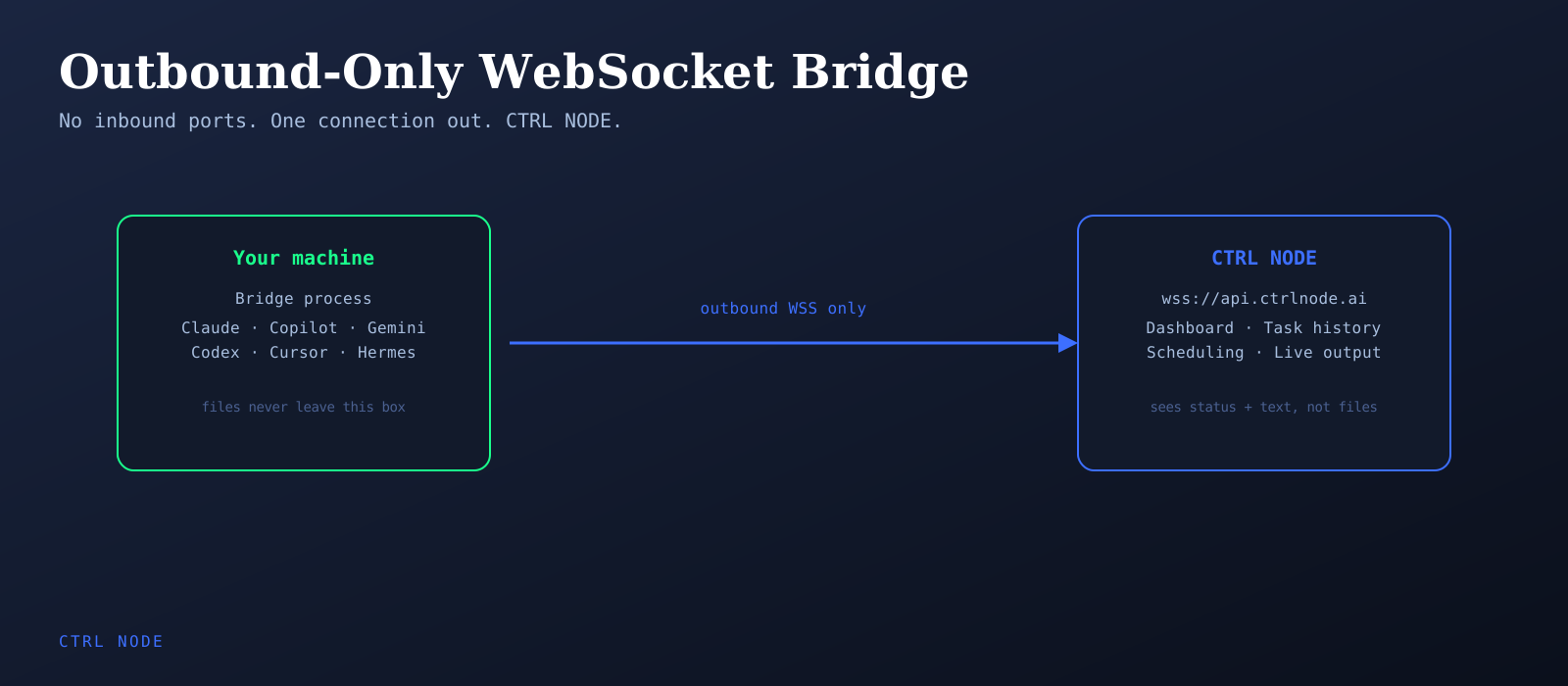
Bridge instead makes exactly one connection, and it always originates from your machine:
Bridge (your machine) ──outbound WSS──▶ wss://api.ctrlnode.ai/ws/bridge
No inbound port, no firewall rule, no NAT traversal, no third-party tunnel relay sitting between you and your files. If your network can reach the internet at all — including from behind a restrictive corporate firewall — Bridge works. The connection is authenticated with a pairing token, not an open door.
2. The pairing token
Before Bridge can connect to anything, it needs a token that identifies which organization it belongs to. You generate that token once, in the CTRL NODE app under Settings → Bridge, and hand it to Bridge during setup:
ctrlnode --setup
The setup wizard asks for your workspace root and the pairing token, then writes both to <workspace>/.ctrlnode/.env. From then on, every WebSocket handshake sends that token as a bearer credential:
// websocket.ts
headers: {
  'authorization': `Bearer ${PAIRING_TOKEN}`,
  'x-bridge-version': BRIDGE_VERSION,
  'x-agents': Object.keys(discoveredAgents).join(','),
}
The token never leaves your .env file except in that header. There's no separate credential store, no OAuth dance — just one bearer token scoping the connection to your org.
3. The connection lifecycle
On startup, Bridge resolves its config (workspace root, pairing token, provider API keys) by searching ~/.ctrlnode/.env, then the current directory's .env, then falling back further up the home tree. Once it has a token, it opens the WebSocket and sends a handshake:
{ action: 'handshake', version, agents: discoveredAgents, providers: availableProviders }
That handshake tells the control plane which AI providers are actually available on this machine — Bridge only advertises what it can actually run.
Connections don't stay open forever without maintenance. Two things happen in the background:
- Heartbeat — every 30 seconds (configurable), Bridge sends the current status of every agent. This is also what keeps the socket alive through load balancers and reverse proxies that silently drop idle connections.
- Config poll — every 60 seconds, Bridge re-scans the filesystem for newly added or removed agents and resyncs.
4. Reconnecting without losing events
Networks drop. Laptops sleep. When the WebSocket closes, Bridge doesn't just give up — but it also doesn't retry blindly, because a closed connection can mean two very different things.
If the close looks like an authentication failure (close codes 1008/1002, or an "Unauthorized"/"401" message), Bridge backs off for 30 seconds before trying again — hammering a server that just rejected your token isn't useful. For anything else — a dropped Wi-Fi connection, a sleeping machine waking back up — it retries on a shorter fixed interval.
While disconnected, Bridge doesn't drop the events it would have sent. Task completions, streaming output, status changes — anything generated while offline goes into a pending queue (capped at 100 items) and flushes the moment the connection re-establishes. You don't lose the last few seconds of a task just because your machine's Wi-Fi hiccuped mid-run.
5. Routing tasks to providers
A single Bridge process can run multiple AI providers side by side — Claude, GitHub Copilot, Google Gemini, OpenAI Codex, Cursor, Hermes, and OpenClaw are all supported today, each with a different invocation style under the hood: some through official SDKs, some by driving a CLI over the Agent Client Protocol (ACP), one (OpenClaw) over a local HTTP gateway.
When a task arrives over the WebSocket, Bridge doesn't route it in-process by provider type — it resolves the target agent, and each agent already knows which provider backs it (MultiProvider aggregates every configured provider and dispatches by agent ownership). The provider then spawns or invokes the underlying AI process, and three callbacks stream everything back over the same socket:
onStream— tokens and tool calls, as they happenonMessage— incremental text outputonComplete— final status and reason
None of this waits for the whole task to finish before you see anything. Output streams back live, the same way it would if you were watching a local terminal.
6. Two ways an agent touches your files
Every task runs in one of two modes, and the difference matters:
- Output mode (the default) — the agent's workspace is an isolated folder under
<workspace>/tasks/<taskId>/. It can read and write inside that sandbox, but it never touches the rest of your filesystem. - Work Directory mode — the agent's working directory is your actual repository. This is what makes in-place refactors, bug fixes, and multi-file feature work possible — the agent edits the code you point it at, not a copy of it.
Even in Work Directory mode, the task's own log and metadata still live under CTRL NODE's own folder, kept separate from your repo — so a task's execution history never ends up committed alongside your code by accident.
7. What the cloud actually sees
This is the part worth being explicit about: the control plane — the CTRL NODE web app, the dashboard, the task history — never receives your file contents. It receives status updates, streamed text output, and task metadata over the WebSocket. The files themselves stay on the machine Bridge is running on. If you're auditing a codebase or refactoring something sensitive, the code never leaves your infrastructure.
Bridge itself is open source and MIT-licensed — distributed as pre-built binaries for Windows, Linux, and macOS via GitHub Releases, with no build step required to run it. If you want to verify any of the claims in this post, the code is right there.
Try it
# Windows
iwr https://github.com/ctrlnode-ai/ctrlnode/releases/latest/download/install.ps1 | iex

# Linux / macOS
curl -fsSL https://github.com/ctrlnode-ai/ctrlnode/releases/latest/download/install.sh | bash

# then pair it
ctrlnode --setup
One outbound connection, your keys and your code stay on your machine, and every AI provider you already use — Claude, Copilot, Gemini, Codex, Cursor, Hermes, OpenClaw — becomes remotely dispatchable from the same control plane.